Professional Broadcasting. Zero Complexity.
Host webinars, live streams, and presentations. Simulcast to multiple platforms from a browser-based studio — no software needed.
One studio. Every format.
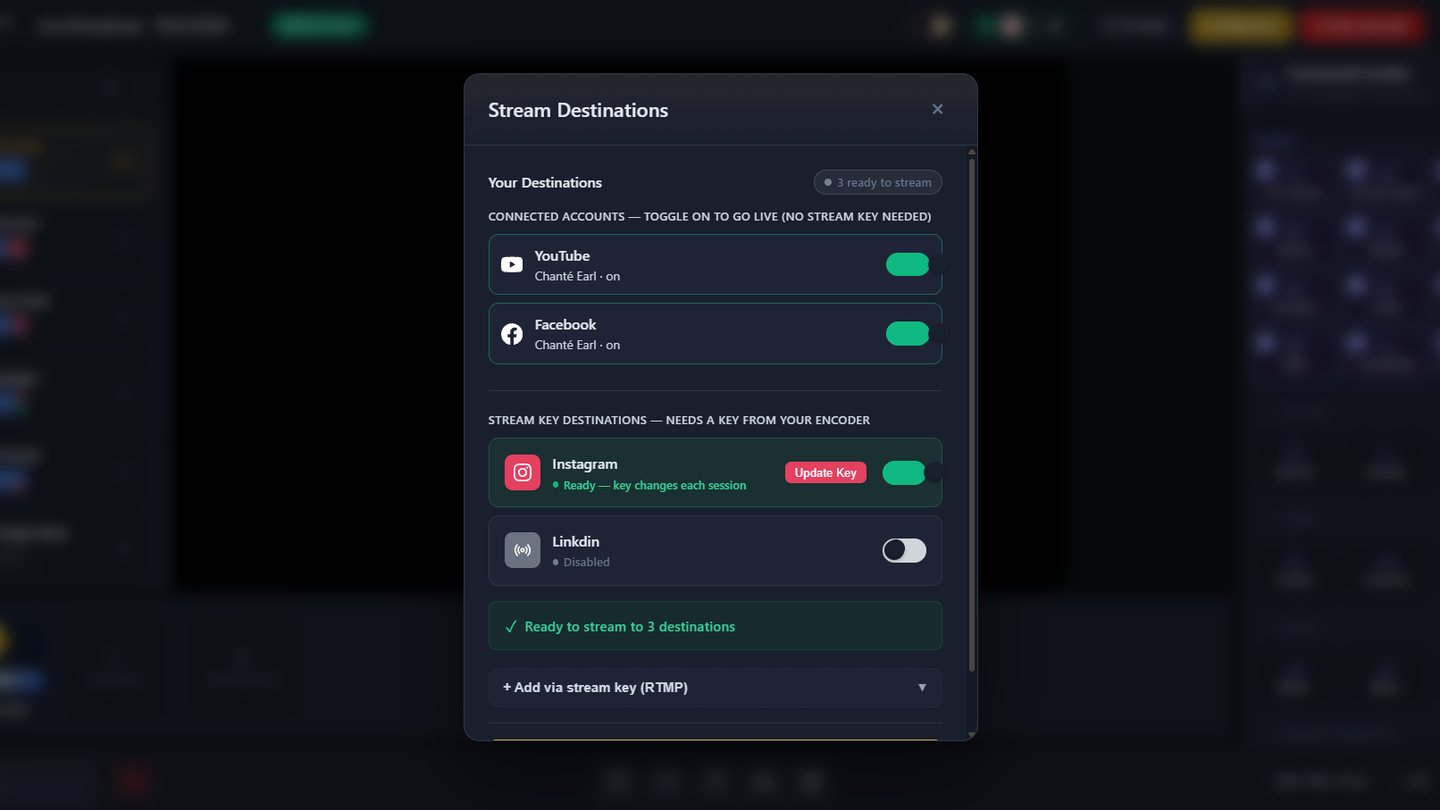
Go live with multiple guests, stream to YouTube, Facebook, Instagram and LinkedIn at the same time, switch scenes on the fly, and broadcast in any aspect ratio — widescreen, square, or vertical for shorts and reels.
Everything You Need to Stream Like a Pro
Professional broadcasting tools that make you look like you have a full production team.
1080p HD Live Broadcasting
Stream in crystal-clear 1080p HD with adaptive bitrate that adjusts to viewer connections for buffer-free viewing.
Multi-Platform Simulcast
Go live on YouTube, Facebook, and Twitch simultaneously with one click. Add custom RTMP destinations to reach your entire audience everywhere.
Real-Time Chat & Q&A
Engage viewers with live chat, polls, and Q&A sessions. Pin important messages and moderate discussions in real-time.
Custom Branding & Overlays
Add your logo, lower thirds, custom backgrounds, and branded overlays. Make every stream look professionally produced.
Live Analytics Dashboard
Monitor viewer count, engagement rates, and chat activity in real-time. Make data-driven decisions during your stream.
Guest & Co-Host Support
Invite up to 10 guests via simple links. No downloads required. Perfect for interviews, panels, and team presentations.
Professional Studio in Your Browser
No downloads, no complex setup. Our browser-based studio gives you everything you need to create professional broadcasts that captivate your audience.
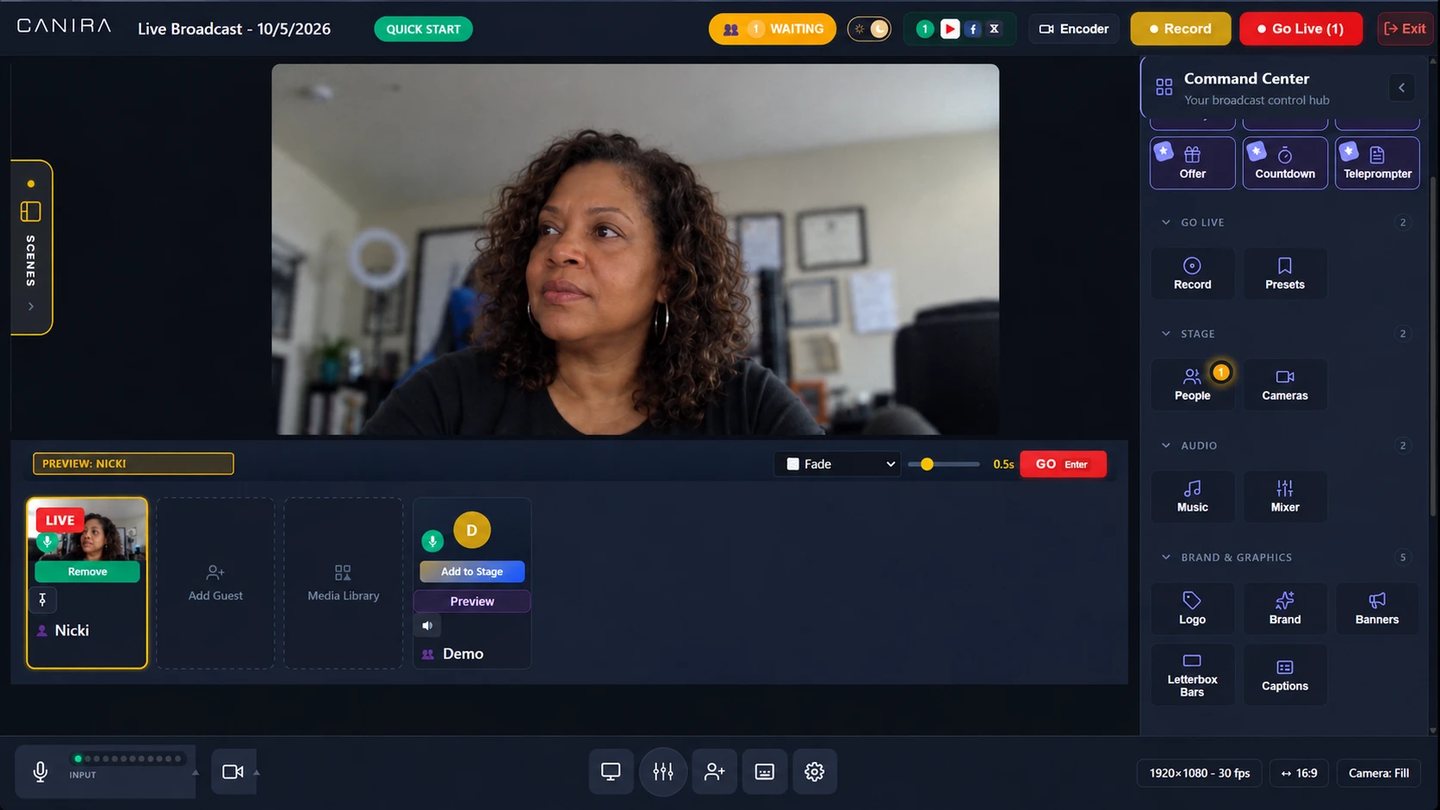
Your Complete Broadcast Mission Control
Every tool you need. One screen. Zero complexity.
Why Creators Choose Canira
Go live from your browser
No technical setup required. Our intuitive studio gets you broadcasting quickly with just your browser.
Reach every audience at once
Simulcast to all major platforms at once. Stop choosing between audiences and grow everywhere simultaneously.
Convert Viewers to Customers
Built-in CTAs, offer buttons, and lead capture forms turn passive viewers into paying customers during your stream.
Never Miss a Lead
Every viewer is tracked. Capture emails, see engagement scores, and follow up with the most interested prospects.
Canira vs StreamYard
StreamYard is great at going live. Canira does that — plus everything that happens before and after the broadcast.
| Feature | Canira | StreamYard |
|---|---|---|
| Live streaming + multistream (6+ platforms) | ✓ | ✓ |
| Browser-based, no install | ✓ | ✓ |
| AI clips + auto-transcripts | ✓ | ✓ |
| Automated webinars | ✓ | — |
| Registration pages + funnels | ✓ | — |
| Podcast hosting + RSS distribution | ✓ | — |
| Built-in monetization (Stripe, PayPal, affiliate) | ✓ | — |
| One workflow: capture → automated → podcast → clips | ✓ | — |
Honest take: StreamYard is smoother if all you need is to go live. Canira is the whole system — the broadcast plus the automated replay, the podcast, the funnel, and the payment, in one workflow.
Perfect For
Trusted by course creators, coaches, and businesses to deliver impactful live experiences.
Course Creators
Deliver live lessons with screen sharing, presentations, and real-time student interaction.
Business Coaches
Host client sessions, group coaching calls, and masterminds with professional production quality.
Product Launches
Build anticipation with countdown timers and convert viewers with live offer reveals and limited-time deals.
Frequently Asked Questions
Just a computer with a webcam and microphone. Canira works entirely in your browser - no downloads, encoders, or expensive equipment required. For best quality, we recommend a stable internet connection with at least 10 Mbps upload speed.
Yes! Canira supports simulcasting to multiple platforms simultaneously including YouTube, Facebook, Twitch, and custom RTMP destinations. Reach all your audiences with one broadcast.
You can invite up to 10 guests to join your live stream. Guests receive a simple link - no account creation or software download required. Perfect for interviews, panel discussions, and team presentations.
Yes, every live stream is automatically recorded in HD quality. You can download recordings, repurpose them for content, or convert them into automated webinars that run 24/7 on autopilot.
Canira includes built-in redundancy and automatic quality adjustment to prevent interruptions. If issues occur, our support team is available 24/7 to help resolve them quickly.
Ready to Launch Your Broadcast Layer?
Start broadcasting to your audience from one powerful platform